Description
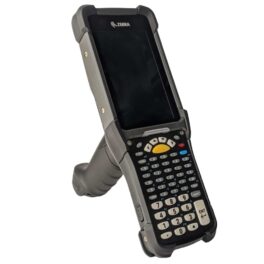
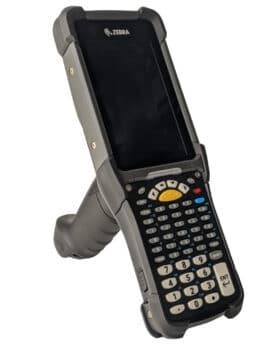
Honeywell CK67-X0N-57S1D0G
Honeywell, CK67-X0N-57S1D0G, CK67: Wifi6e, 4.3″ Screen, 53-Key Alphanumeric, 8GB/128GB, Standard Range Engine-Red Laser, Front & Rear Camera, Standard Battery, GMS, Ip65/68, Standard, Launcher/Browser/Basic TE, Global
Honeywell CK67 Data Sheet
The CK67-X0N-57S1D0G is built on the Mobility Edge™ platform, a durable, stable, secure foundation for effective, long-lasting solutions. The CK67 delivers the lifecycle, security and durability required by serious businesses. The CK67 harnesses the latest Qualcomm® QCM4490 processor and memory technology for high performance with guaranteed support through Android 18.
The CK67-X0N-57S1D0G has the latest 5G and Wi-Fi 6E chipset technology to stay connected in both indoor and outdoor environments. With the latest 5G release, CK67 offers the highest bandwidth, versatility and lowest latency available for warehouse and DC workers to always stay connected. Whether you are on a private 5G or CBRS network, or a Wi-Fi 6E environment, your workers can continue their workflows with the most reliable uptime. Each CK67 comes with a standard 2nd BLE and a USB-C port for alternate charging options or data transfer.
The CK67 is designed to endure the most challenging environments in warehouses and DCs. Warehouses are as busy as ever and operators need to keep their workflows running efficiently with maximum uptime. Users in warehouses can rely on the CK67, withstanding up to 8ft drops across operating temperatures and 4,000 1.0m tumbles. Users can be confident with the intense durability testing the CK67 undergoes before release, that it will solidify and keep operations and is the ultimate long-term investment.
Specs
Honeywell CK67 Data Sheet
| Part Number: |
CK67-X0N-57S1D0G |
| Keypad: |
53 – Key Alphanumeric |
| Scan Engine: |
Standard Range – Red Laser |
| Operating System: |
Each Android version guaranteed from Android 14 to 18. |
| Memory: |
8GB / 128GB |
| Camera: |
13-megapixel rear camera, 8-megapixel front-facing camera |
| Battery: |
Li-Ion, 7000mAh. Smart battery with integrated diagnostics tools |
| WLAN: |
Wi-Fi certified; Wi-Fi™ 6E certified |
| WLAN Security: |
OPEN, WEP, WPA/ WPA2/WPA3 (Personal and Enterprise) Supported EAP: TLS, PEAP, TTLS, PWD, LEAP, CCX compatible |
| Bluetooth: |
V5.3 Bluetooth and BLE |
Accessories
CK3X CK3R CK65 CK67 Accessories
Showing 1 - 6 out of 6
Page 1 out of 1
|
|
|
$561.98
|
|
|
|
|
|
$335.01
|
|
|
|
|
|
$204.13
|
|
|
|
|
|
$970.29
|
|
|
|
|
|
$954.97
|
|
|
|
|
|
$353.05
|
|
|
Service Agreements
The new CK67 includes a One-year limited factory warranty. Service agreements that extend the original manufacturers warranty or Honeywell Edge Solution service agreements must be purchased within 90 days of the purchase of the CK67
Showing 1 - 6 out of 6
Page 1 out of 1
|
|
|
$70.00
|
|
|
|
|
$135.62
|
|
|
|
|
$262.50
|
|
|
|
|
$481.25
|
|
|
|
|
$590.62
|
|
|
|
|
$1,082.80
|
|
Trouble Shooting
How Long is the CK67s manufacturer’s warranty?
- The CK67 has one year limited factory warranty. This does not cover accidentals or misuse. Please see the Honeywell Edge Service solutions for additional coverage.
Can I use my CK65 batteries and accessories in the CK67?
- Yes! The batteries and accessories are compatible with the CK67
We use gloves in our warehouse, will the CK67 touchscreen work?
- Optimize screen interactions by selecting a touch screen profile designed
specifically for your use case. For example, if you wear gloves, set the touch screen
profile to Glove use enhanced for the best touch screen response.
Note: Maximum glove thickness of 2 mm (0.08 inches) for touch screen response.
1. Swipe up from the bottom of the Home screen to access all apps.
2. Tap Settings > Honeywell Settings > Touch Screen Profile.
3. Choose one of the following options:
• Standard mode
• Glove enhance mode
• Stylus enhance mode
• Protector mode
• Rain mode
4. If a screen protector is installed on the device, turn the Protector option on.
5. Exit the Settings app.
How do I reset my CK67
- You can perform an Enterprise data reset if a Reboot did not improve the condition
and all other troubleshooting methods have not resolved the issue. This method
provides a clean configuration for troubleshooting by erasing all data from the
Internal shared storage location on the computer. Data is not erased from the
IPSM Card location.
- Caution: An Enterprise data reset results in data loss, only perform this
procedure if all other recovery methods have failed. All personal
content is erased including, but not limited to emails, pictures,
contacts, Google account information, system settings and app
settings.
- Note: This method of recovery may not be available if your system administrator has set
policies to prevent the reset use.